
NorgesGruppen Data: Object Detection
Detect grocery products on store shelves. Upload your model code as a .zip file — it runs in a sandboxed Docker container on our servers.
How It Works
- Download the training data from the competition website (requires login)
- Train your object detection model locally
- Write a
run.pythat takes shelf images as input and outputs predictions - Zip your code + model weights
- Upload at the submit page
- Our server runs your code in a sandbox with GPU (NVIDIA L4, 24 GB VRAM) — no network access
- Your predictions are scored: 70% detection (did you find products?) + 30% classification (did you identify the right product?)
- Score appears on the leaderboard
Downloads
Download training data and product reference images from the Submit page on the competition website (login required).
Training Data
Two files are available for download:
COCO Dataset (NM_NGD_coco_dataset.zip, ~864 MB)
- 248 shelf images from Norwegian grocery stores
- ~22,700 COCO-format bounding box annotations
- 356 product categories (category_id 0-355) — detect and identify grocery products
- Images from 4 store sections: Egg, Frokost, Knekkebrod, Varmedrikker
Product Reference Images (NM_NGD_product_images.zip, ~60 MB)
- 327 individual products with multi-angle photos (main, front, back, left, right, top, bottom)
- Organized by barcode:
{product_code}/main.jpg,{product_code}/front.jpg, etc. - Includes
metadata.jsonwith product names and annotation counts
Annotation Format
The COCO annotations file (annotations.json) contains:
{
  "images": [
    {"id": 1, "file_name": "img_00001.jpg", "width": 2000, "height": 1500}
  ],
  "categories": [
    {"id": 0, "name": "VESTLANDSLEFSA TØRRE 10STK 360G", "supercategory": "product"},
    {"id": 1, "name": "COFFEE MATE 180G NESTLE", "supercategory": "product"},
    ...
    {"id": 356, "name": "unknown_product", "supercategory": "product"}
  ],
  "annotations": [
    {
      "id": 1,
      "image_id": 1,
      "category_id": 42,
      "bbox": [141, 49, 169, 152],
      "area": 25688,
      "iscrowd": 0,
      "product_code": "8445291513365",
      "product_name": "NESCAFE VANILLA LATTE 136G NESTLE",
      "corrected": true
    }
  ]
}
Key fields: bbox is [x, y, width, height] in pixels (COCO format). product_code is the barcode. corrected indicates manually verified annotations.
What Annotations Look Like
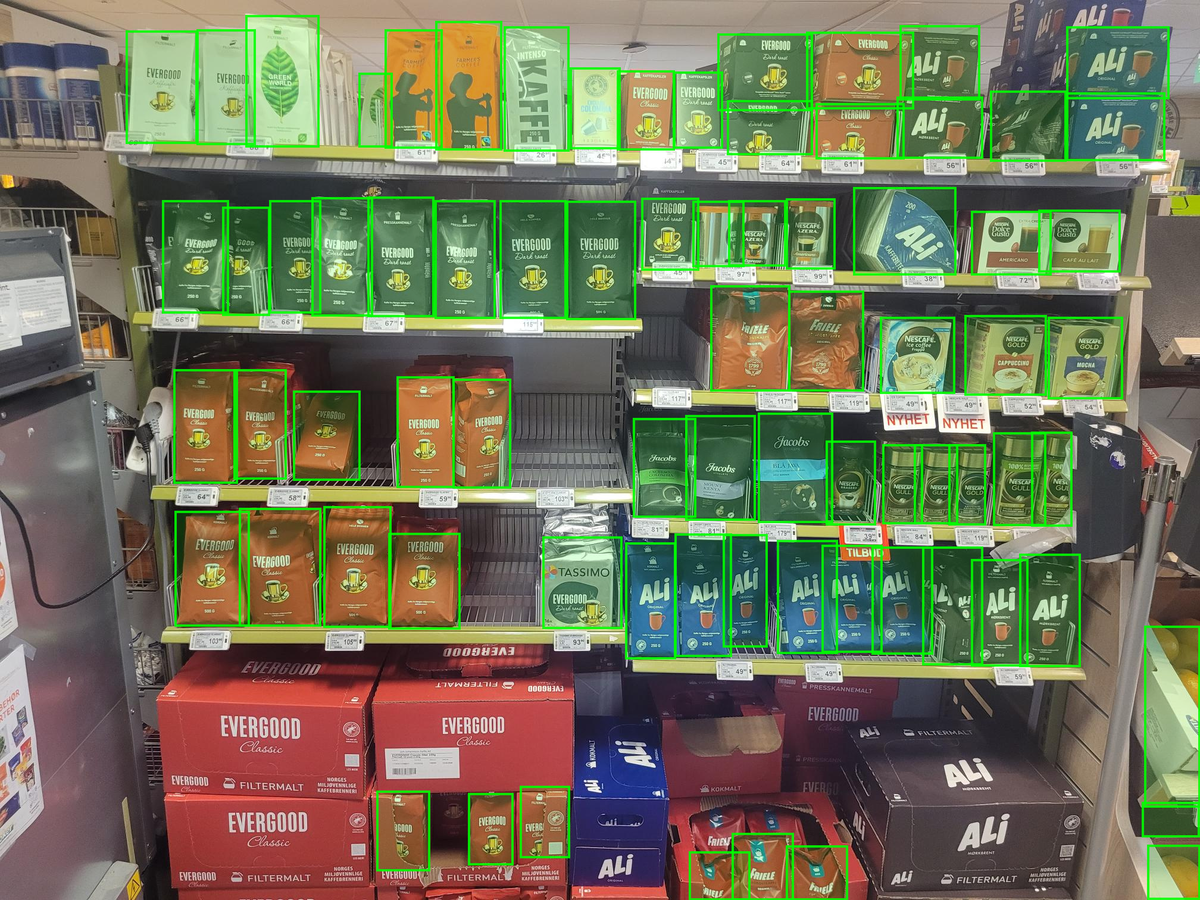
A training image with all ground truth boxes (green = correctly detected product):
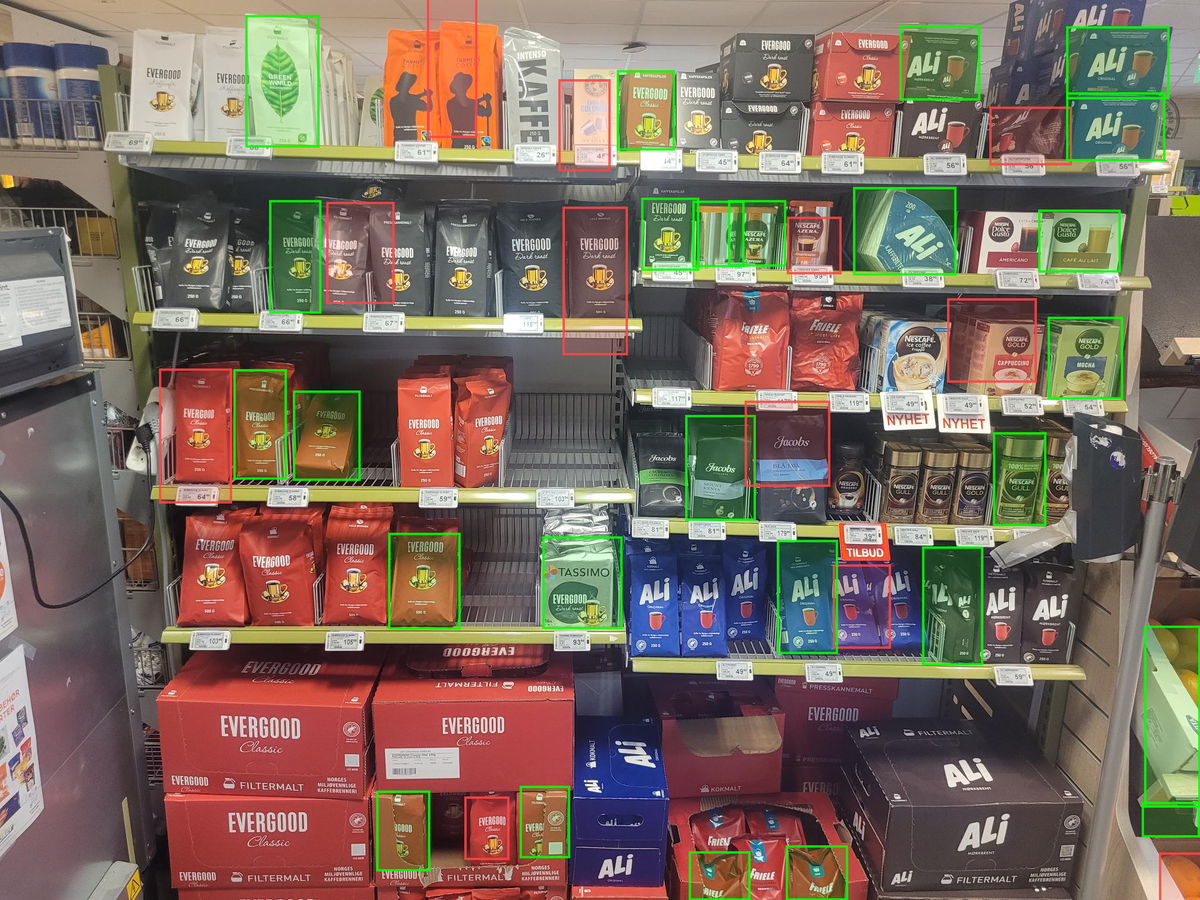
Compare with a ~50% mAP result — half the products are missed entirely, and some detected boxes (red) are imprecise:
Submit
Upload your .zip at the submission page on the competition website.
MCP Setup
Connect this docs server to your AI coding tool:
claude mcp add --transport http nmiai https://mcp-docs.ainm.no/mcp